A pen, some tape and good intentions
Handwritten labels smear in the cold room, fade and vanish. When someone checks the tub, nobody can read it - and what cannot be read gets thrown away.
Kitchen traceability · food safety
MrTag works out the expiry date from the rule you set and prints straight from the phone to your thermal printer. No computer in the kitchen, no box to install - and it keeps printing when the internet drops.
In daily use in a restaurant kitchen in São Paulo since August 2026 - not a prototype.
Three things happen in every kitchen that still labels by hand - and all three show up when the inspector walks in.
Handwritten labels smear in the cold room, fade and vanish. When someone checks the tub, nobody can read it - and what cannot be read gets thrown away.
Every product has a different shelf life for every storage method. When the maths happens in someone’s head, the mistake enters stock today and leaves on a plate the day after.
The inspector asks when it was prepped and who prepped it. With no history, the answer is somebody’s memory - and memory is not a record.
The cost does not show up as a fine: it shows up in food thrown out because nobody knows if it is still good, and in a cook filling out labels instead of cooking.
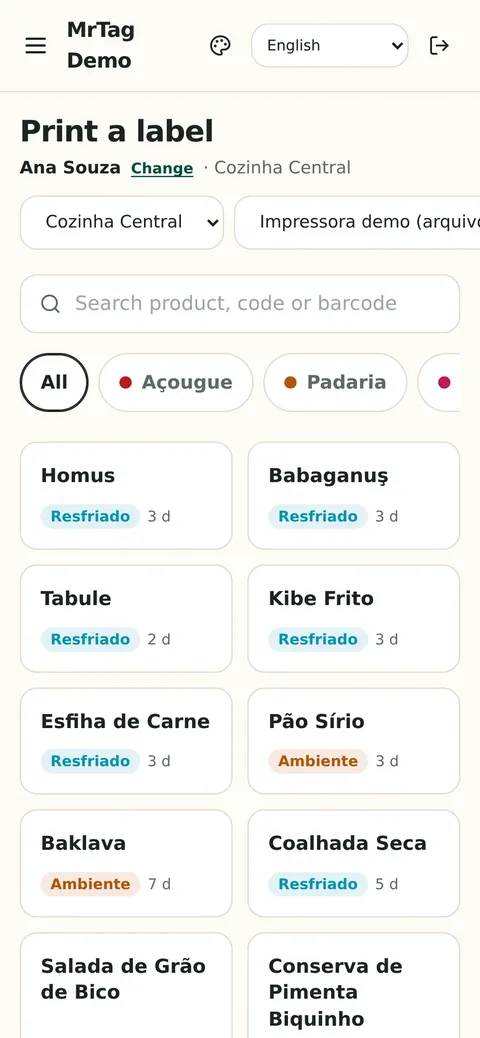
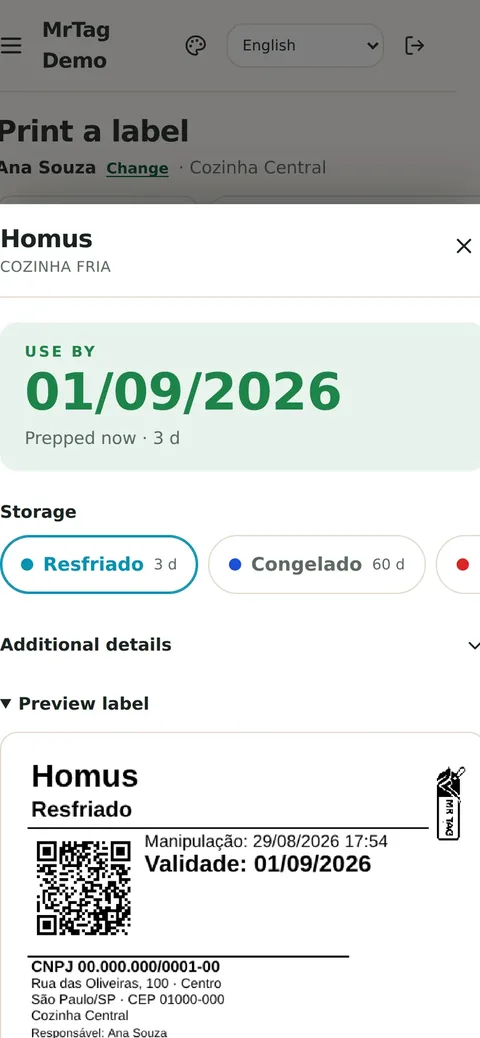
Three taps from picking up the phone to sticking the label on the tub. No long training, no manual.
01
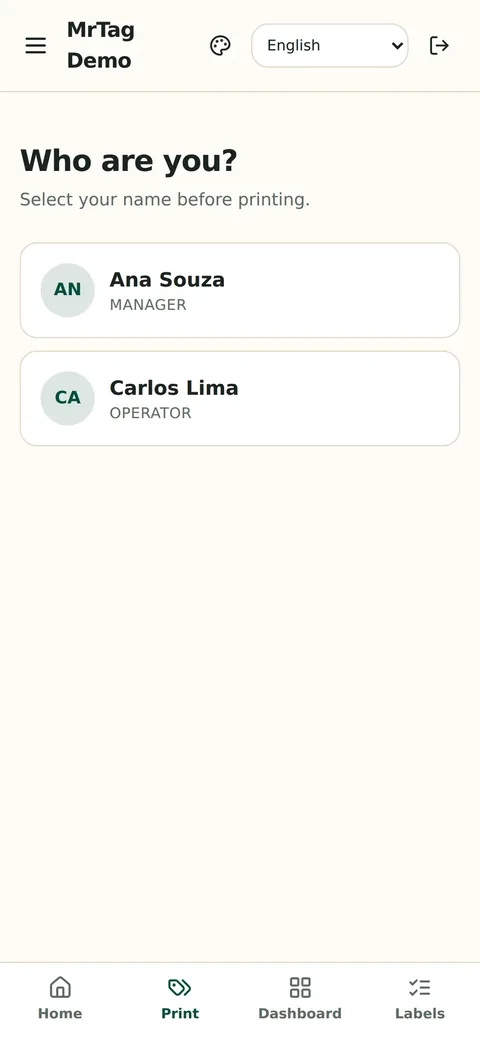
The operator identifies themselves by name or PIN before printing. That name goes on the label and into the history - which is exactly what an inspection asks for.
02
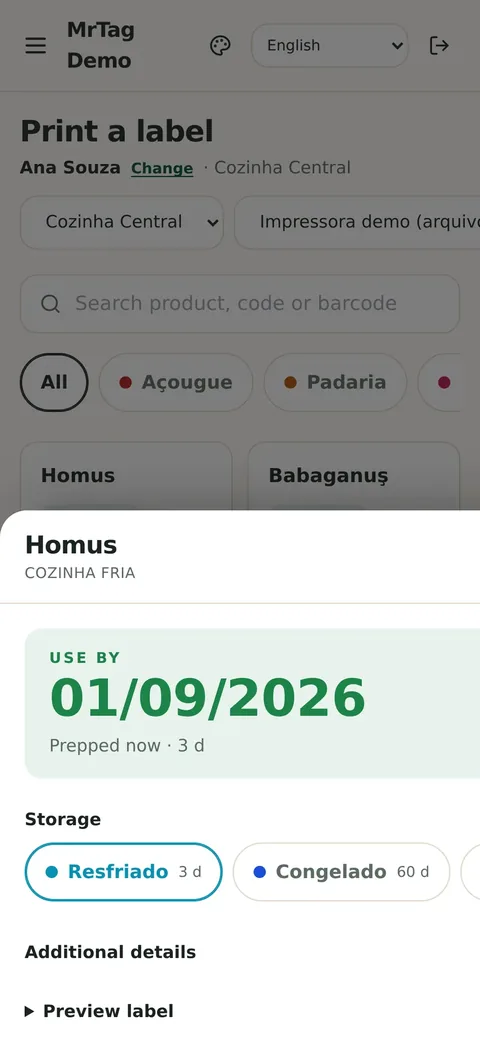
The catalogue is yours: section, category and the shelf life of each storage method already set up. The expiry date is worked out on the device, by your rule - not by whoever is holding the phone.
03
Before any paper is used, the preview shows exactly what will be printed. The label comes out on the thermal printer connected over Bluetooth, local network or USB.
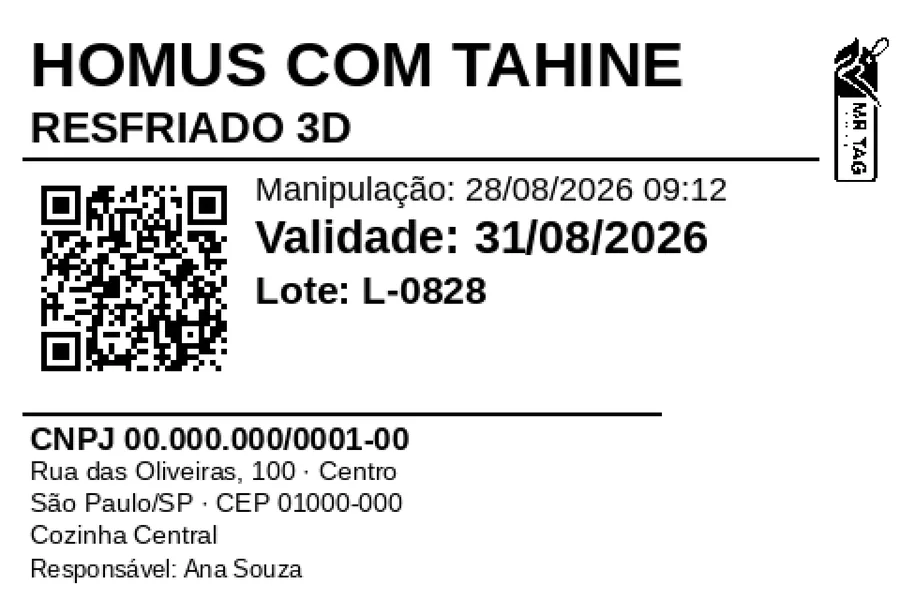
Everything a prepared-food label is expected to carry - and everything your brand needs to show.
123456789
QR
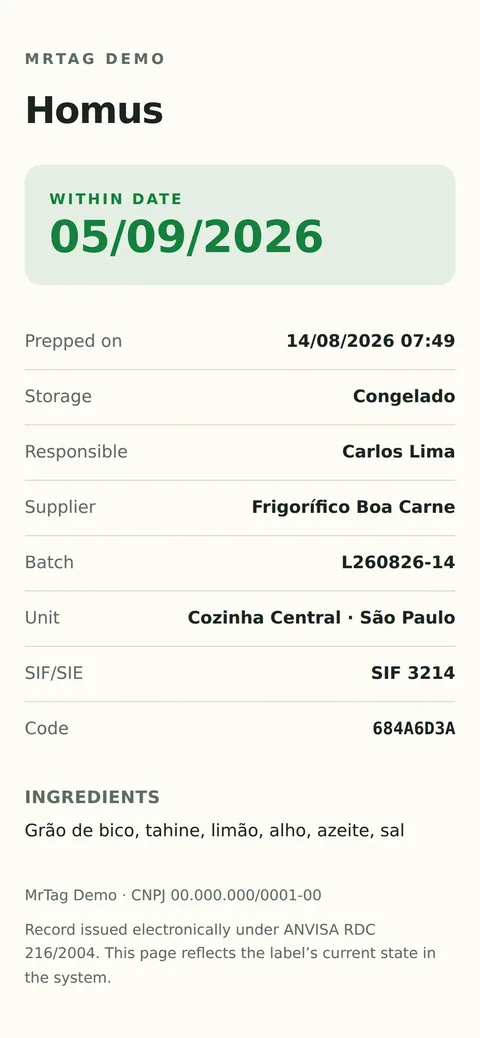
Whoever points a camera at it - the manager, the customer, the inspector - opens that label’s record: what it is, when it was prepped, how long it is good for, who issued it, batch, health registration and ingredients. Nothing to install, and it works on any phone.
Phone · tablet · computer
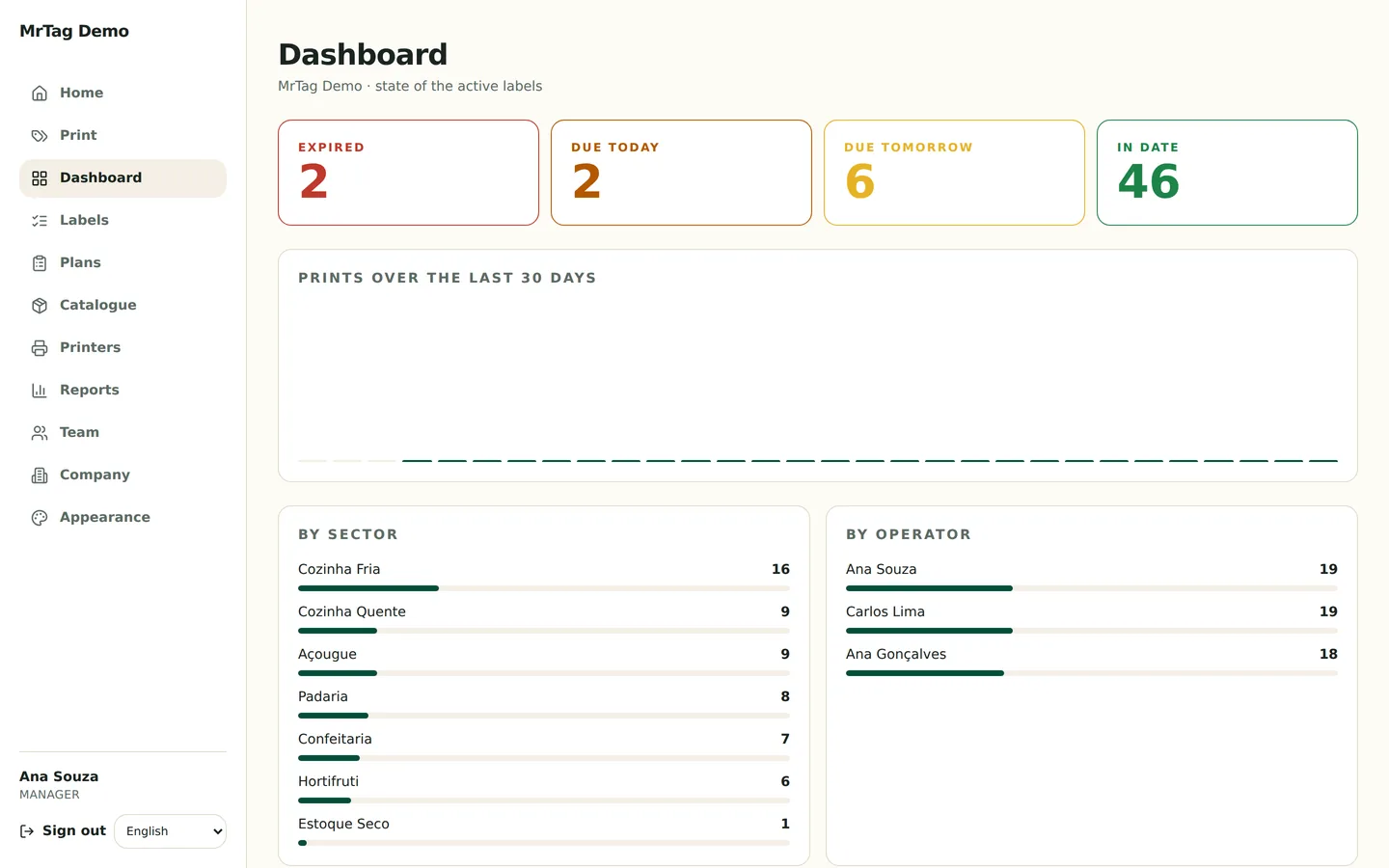
On the bench, the phone prints a label in three taps. At the prep station, the tablet keeps the day’s plan on screen - and it is the tablet that holds the printer cable when the printer has no network. In the office, the computer opens the dashboard and the reports full screen, with nothing to install.
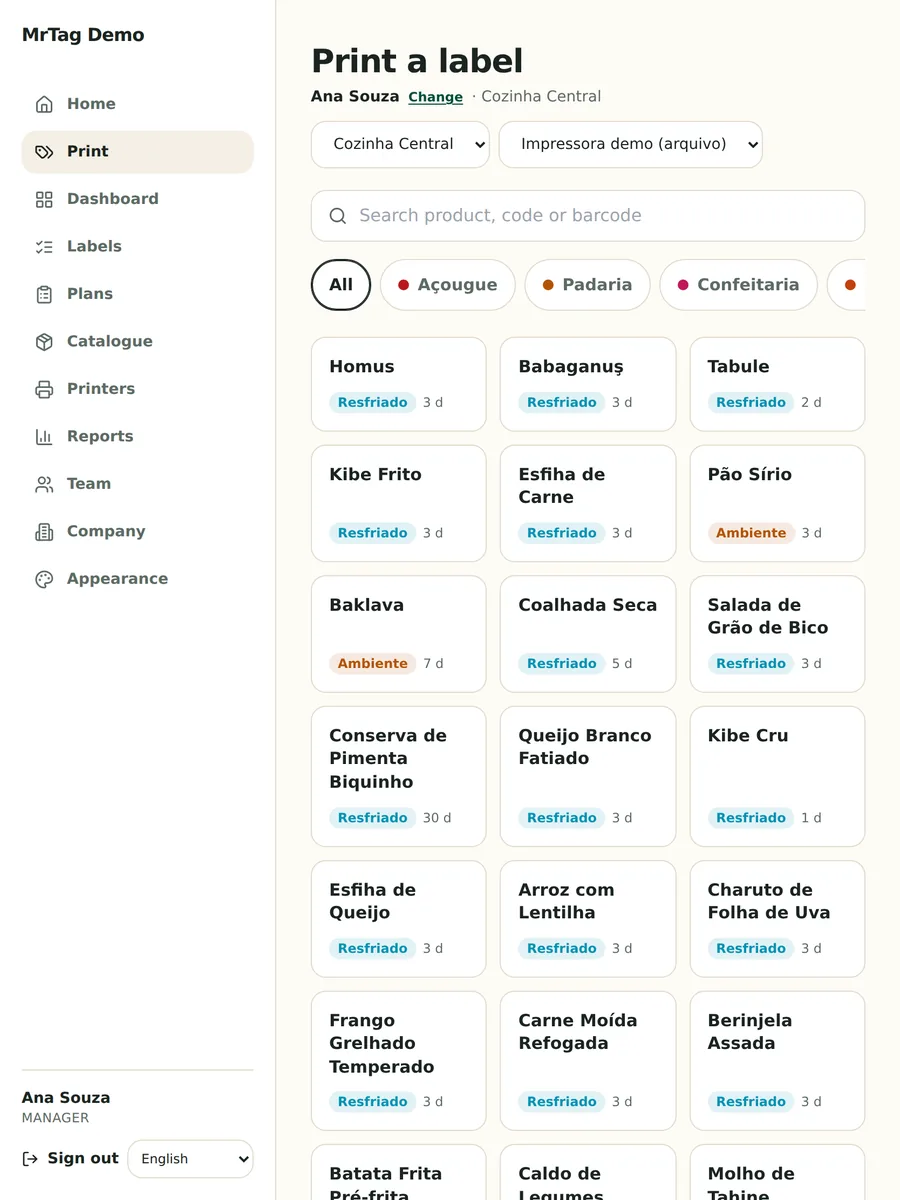
It is not just printing labels. It is the whole prep routine, from the morning mise en place to the monthly report.
Products by section and category, each with its own shelf life per storage method, ingredients and allergens.
The morning mise en place becomes a list. Tick what you are producing and print it all at once.
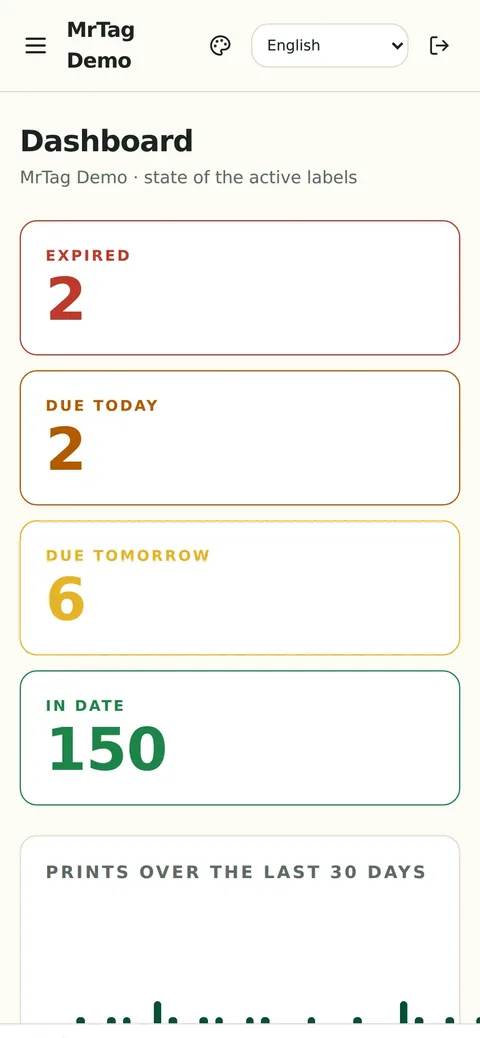
Expired, due today, due tomorrow and in date - in large numbers, on the manager’s home screen.
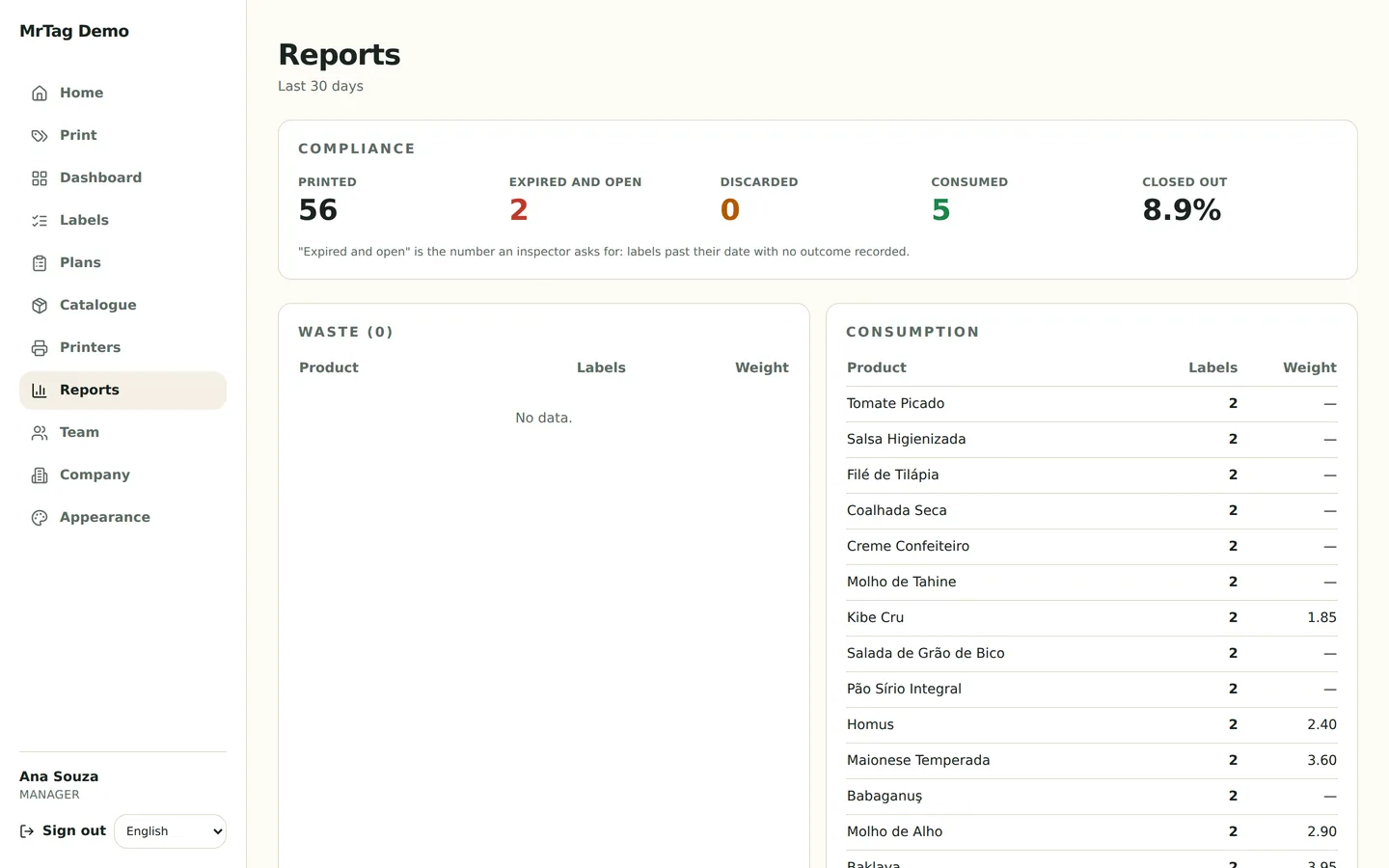
Printed, expired and still open, discarded, consumed, and the share properly closed out over the last 30 days.
Used, discarded or voided in one tap. What left stock stops counting as open.
Each operator signs in with their own PIN on the kitchen device. The name goes on the label and into the history.
Several kitchens on one account, each with its own producing unit, products and printers.
ZPL, ESC/POS and TSPL over Bluetooth, local network or USB. Zebra, Elgin, TSC and most thermal label printers.
A product line can carry its own label design and branding without touching the rest of the catalogue.
Fields required for animal-origin products, printed only when the product needs them.
Catalogue and calculation live on the device. Labels printed with no signal queue up and sync themselves when the connection returns.
Type it or scan with a wedge reader into the search field: the right product opens straight away.
Company logo, colour and theme in the app and on the label.
Portuguese, English, Turkish and French - each device picks its own.
Runs on the kitchen’s Android device or in the browser on any phone, tablet or computer.
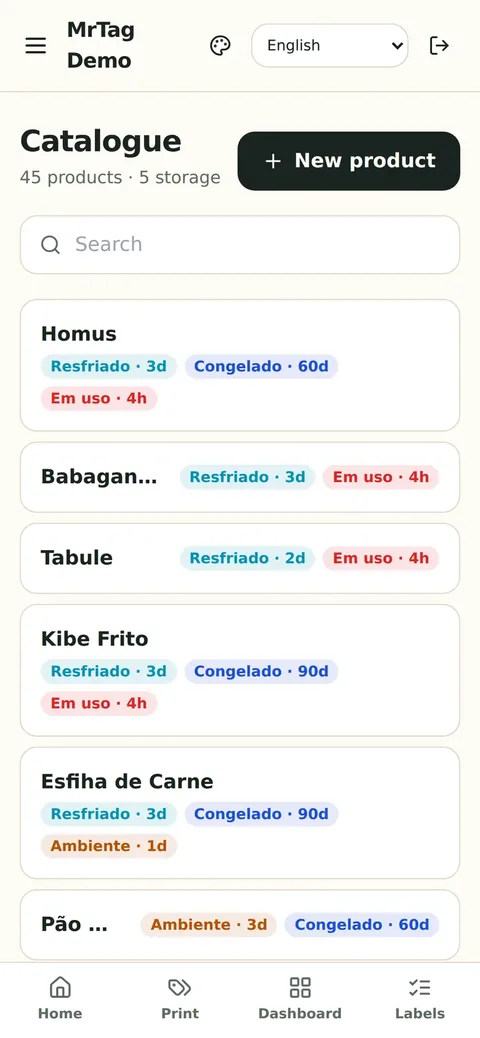
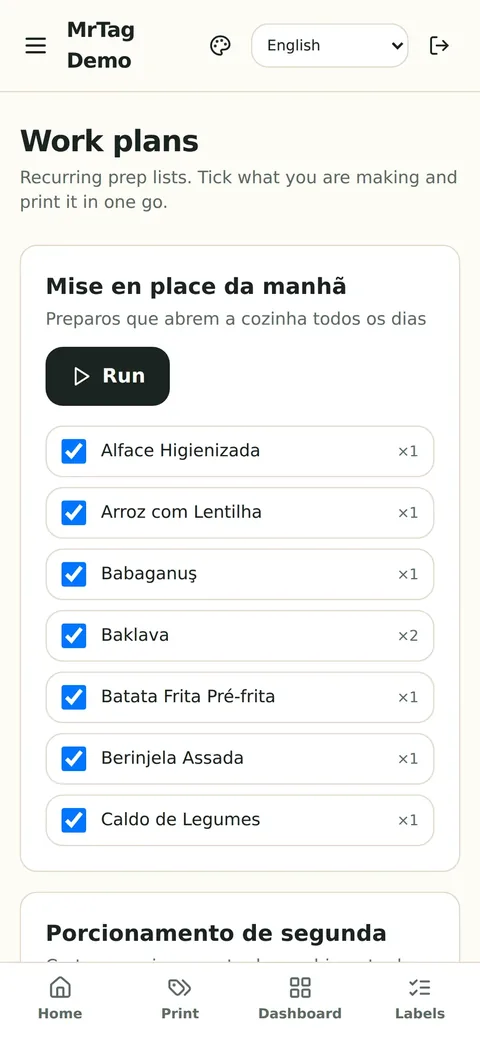
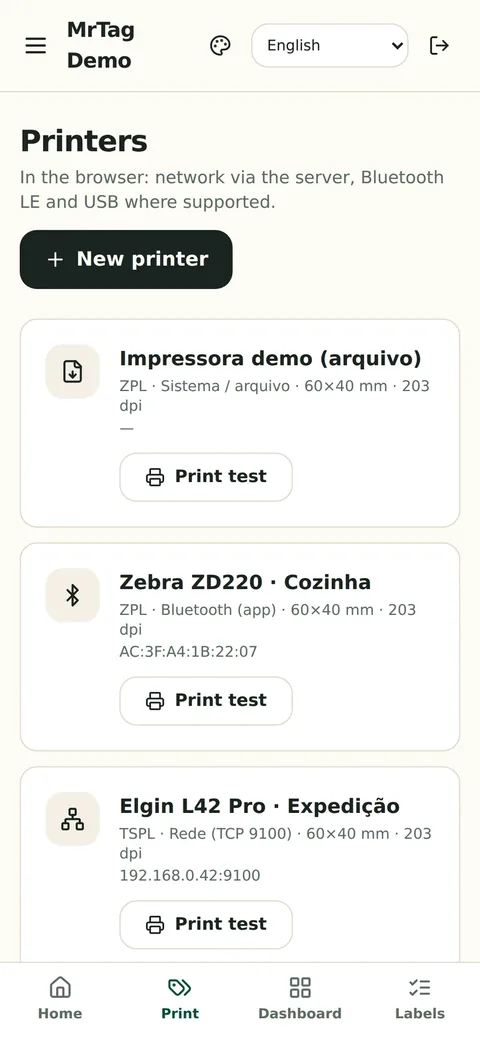
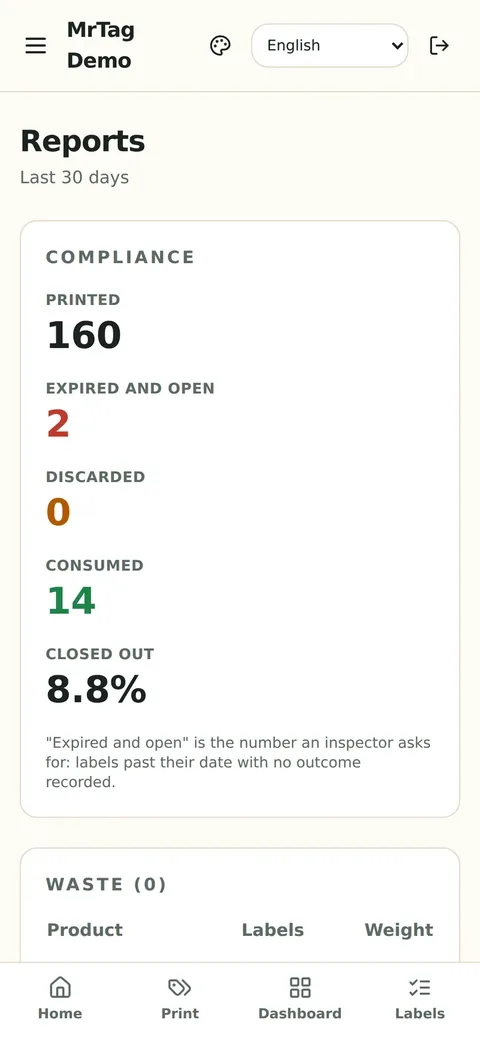
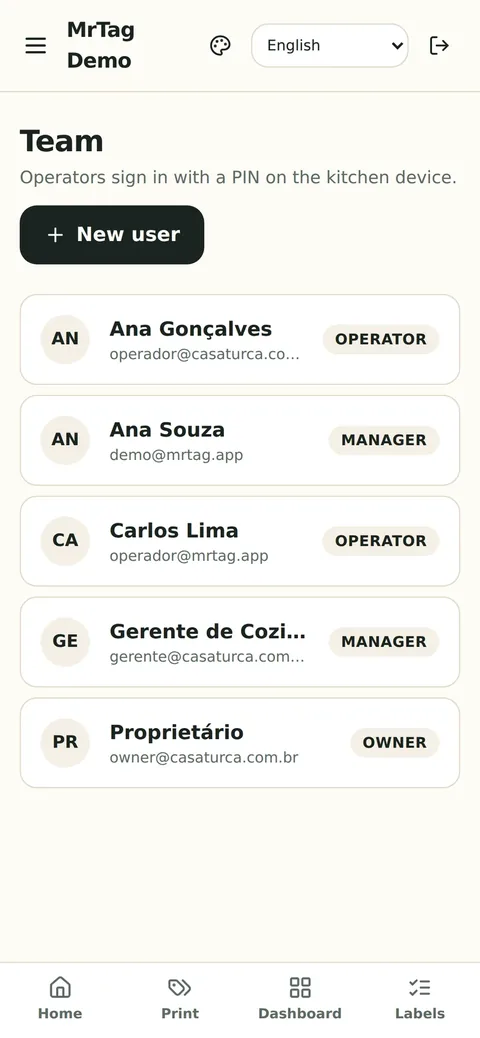
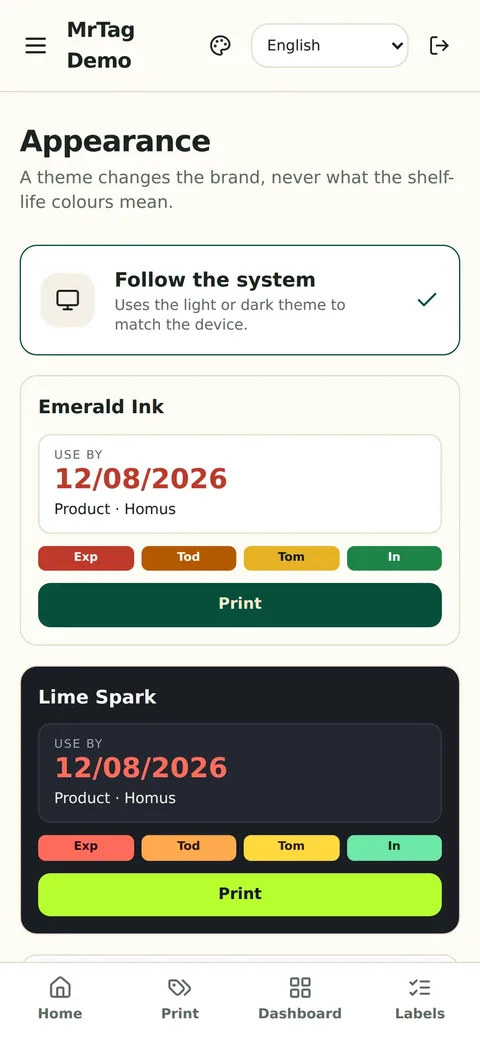
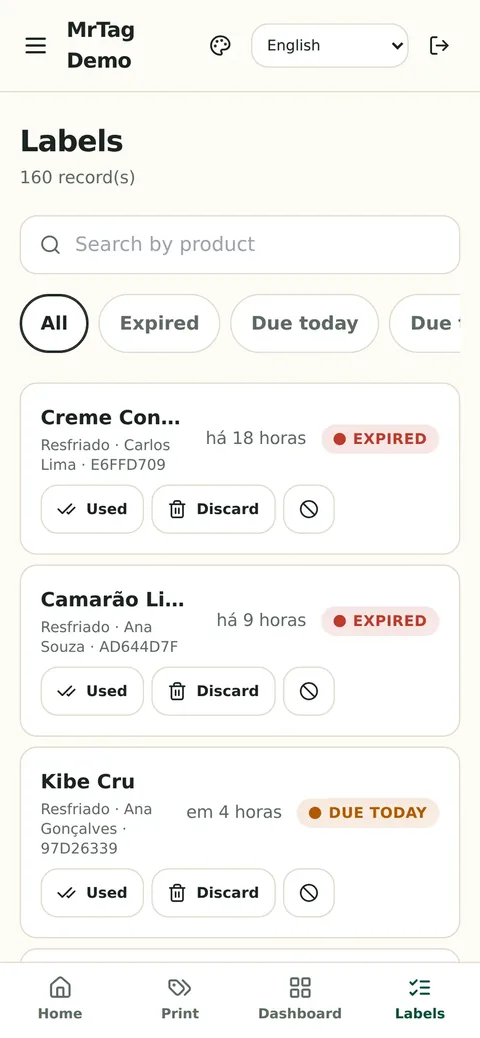
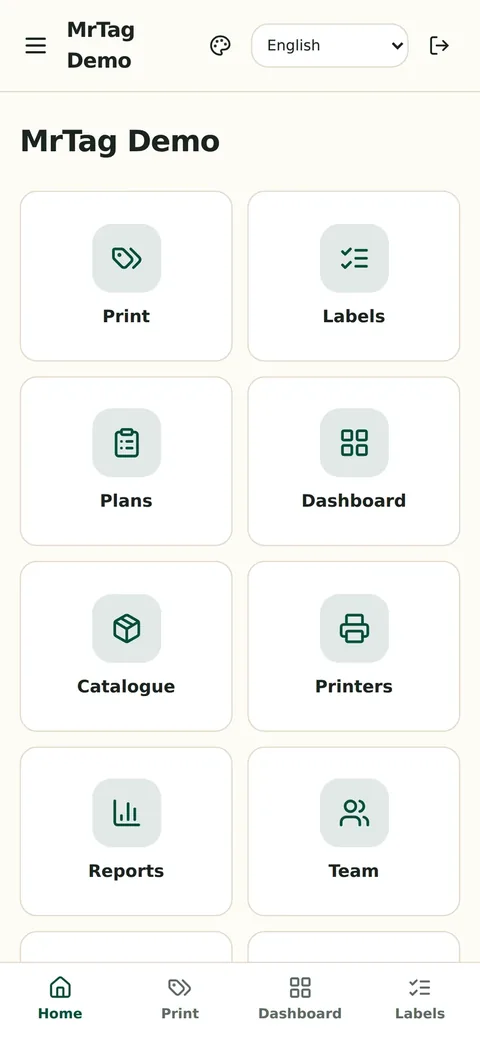
Swipe sideways to see more screens.
Install today
No Windows software to install, no local server, no box on the wall. Download the Android app - it updates itself - or just open it in a browser, iPhone included.
A signed APK with automatic updates: when a new version ships, the app itself offers to install it. Android 7 or later.
The same screen in Chrome, in Safari on iPhone and on the office computer. It can be installed to the home screen as an app.
The demo is a fictional kitchen with a catalogue, labels and reports already filled in. Sign in and try anything:
Swipe the table sideways.
| Pen and paper | System with a kitchen server | MrTag | |
|---|---|---|---|
| What has to be installed | Nothing - and nothing works | A computer or box per site | Nothing. The phone talks to the printer |
| Up-front cost | Low, with the cost hidden in waste | Hardware per site | Remote setup is free |
| Expiry date | Worked out in someone’s head | Calculated | Calculated by your rule, on the device |
| No internet | Works | Depends on the local server | Prints and syncs afterwards |
| Record for inspection | Somebody’s memory | A report in the system | Per-label history with a verification QR |
| Changing printer | Not applicable | Depends on the vendor | ZPL, ESC/POS and TSPL - yours probably already works |
| Training | Repeated with every new hire | Days | One screen: pick, check, print |
| Commitment | None | Contract plus hardware | Month to month, no lock-in |
MrTag runs every day in a restaurant kitchen in São Paulo, printing the service’s labels on a Zebra thermal printer. The system was built from what that kitchen actually needed - not from a feature list imagined in an office.
Remote setup is free - we do it with you over video. On-site only if you want someone in your kitchen. After that, a monthly fee per site, with no charge per label printed.
Free no cost
Over a video call: we load your catalogue with its shelf lives, configure the printer and train the team. This is how most kitchens start.
R$ 499 one-off, optional
If you would rather have someone there on switch-over day: we come to the site, set everything up and stay for the first service.
R$ 149 per site / month (BRL)
Unlimited labels, updates, support and accounts for the whole team. Month to month, no lock-in.
Not included: the thermal printer and the label rolls. If you do not have one, we will point you at the right model - we do not sell hardware and take no commission on it.
Book a demoThe fee is month to month. If it does not fit, you stop the following month.
The label history belongs to your operation. If you leave, we hand all of it over as a file.
We do not show a generic example: we build it with your products and shelf lives.
Support comes from whoever wrote the system, not a call centre.
Tell us the basics and we will come back with a demo in your context - your menu, not a generic example. We reply within one working day.
mejelsoft@gmail.com
Usually not. MrTag speaks ZPL, ESC/POS and TSPL, which covers Zebra, Elgin, TSC and most thermal label printers, over Bluetooth, network or USB. Send us your model and we will confirm before you commit to anything.
Printing carries on. The catalogue and the expiry calculation live on the device; labels printed offline queue up and upload themselves when the connection returns. No label is lost.
In the browser, yes: the same screen runs in Safari and can be installed to the home screen. Bluetooth printing needs the Android app - normally the kitchen device rather than the manager’s personal phone.
Yes. Setup includes bringing your catalogue over with its shelf lives already configured - that is how it went at the restaurant running the system today, with hundreds of products.
The technical part takes a day. What takes time is reviewing each product’s shelf life with your food-safety lead - and that review is yours, not ours: we do not invent shelf lives.
It does. Each site has its own producing unit, printers and team, all under one account. The fee is per site.
On a server dedicated to your operation, in Brazil or in Europe depending on the contract. Each establishment is isolated from the others. No ads, no trackers, nothing shared with third parties.
No. The fee is month to month and your label history is yours - if you leave, we hand all of it over as a file.
Thirty minutes over video, with your own menu on screen. If it does not make sense for your kitchen, we will say so on the call.
Book a demo